!ls ../day1hw baek_gm.txt guebin.txt jinsil.txt seongjoon.txt
choyun.txt handoehee.txt junhan.txt seunghoon.txt
coco.txt hyeonji.txt leejjae.txt soonwon.txt
daehyeon.txt jeongmin.txt mingu.txt suwhan.txt- 이거 클론하세요
- 방법1
!ls ../day1hw baek_gm.txt guebin.txt jinsil.txt seongjoon.txt
choyun.txt handoehee.txt junhan.txt seunghoon.txt
coco.txt hyeonji.txt leejjae.txt soonwon.txt
daehyeon.txt jeongmin.txt mingu.txt suwhan.txt!cat ../day1hw/baek_gm.txtgithub : https://github.com/baekgyeongmin
blog : https://baekgyeongmin.github.io/blogggg/
201821967 백경민!cat ../day1hw/choyun.txtgithub : https://github.com/jeongchoyun
202350543 정초윤 https://jeongchoyun.github.io/TBX2024/- 방법2
!ls ../day1hw > fnames.txt !chmod +x show.sh!./show.shgithub : https://github.com/baekgyeongmin
blog : https://baekgyeongmin.github.io/blogggg/
201821967 백경민
github : https://github.com/jeongchoyun
202350543 정초윤 https://jeongchoyun.github.io/TBX2024/
coco(김보람),202250926, https://github.com/boram-coco, https://boram-coco.io/240102
daehyeon
201319536
github:https://github.com/kobron
최규빈,2021-43052,https://github.com/guebin,https://guebin.github.io/DSTBX2023/
한도희
지구환경과학과
201916288
https://github.com/handoehee
전현지
201918834
github.com/hyeonji07
https://hyeonji07.github.io/blog_last/
ijeongmin 202115820
github => https://github.com/amondmomo
이정민
https://amondmomo.github.io/blog_test/
김진실
201920273
https://github.com/jinisili
https://jinisili.github.io/blog-please
전준한,2020-16239,https://github.com/Pogjunan
quarto blog 제작중입니다.
leejeongjae 202021333 https://github.com/leejjae, https://leejjae.github.io/blog_test/
강민구, 2023-50653, https://github.com/min9kan9, https://min9kan9.github.io/blog5/
유성준,201810648,
https://sjoon0305.github.io/blog_test2/
양승훈 201916332 https://github.com/yangsh12
권순원 201816897 https://github.com/sw1kwon
201916240 김수환 https://github.com/swany00- 방법3: 아래의 파일을 생성하고 출력
show2.sh
fnames=(
    "baek_gm.txt" "guebin.txt" "jinsil.txt" "seongjoon.txt"
    "choyun.txt" "handoehee.txt" "junhan.txt" "seunghoon.txt"
    "coco.txt" "hyeonji.txt" "leejjae.txt" "soonwon.txt"
    "daehyeon.txt" "jeongmin.txt" "mingu.txt" "suwhan.txt"
)
for fname in "${fnames[@]}"; do
    echo "File: $fname"
    cat "../day1hw/$fname"
    echo "----------------"
done
#!bash show2.sh- ./show2.sh 와 bash show2.sh 의 차이?
저 숙제를 바탕으로 183 컴퓨터에 계정을 생성했습니다.
계정을 생성한 방법: 그냥 참고용.. 이렇게도 가능함 ㅎㅎ
!ls ../day1hw/baek_gm.txt guebin.txt jinsil.txt seongjoon.txt
choyun.txt handoehee.txt junhan.txt seunghoon.txt
coco.txt hyeonji.txt leejjae.txt soonwon.txt
daehyeon.txt jeongmin.txt mingu.txt suwhan.txtfile_names = [
"baek_gm", "guebin", "jinsil", "seongjoon",
"choyun", "handoehee", "junhan", "seunghoon",
"coco", "hyeonji", "leejjae", "soonwon",
"daehyeon", "jeongmin", "mingu", "suwhan"
]for username in file_names:
print(f'adduser {username} --gecos "" --disabled-password && echo "{username}:jbnu" | chpasswd && usermod -aG sudo {username}')adduser baek_gm --gecos "" --disabled-password && echo "baek_gm:jbnu" | chpasswd && usermod -aG sudo baek_gm
adduser guebin --gecos "" --disabled-password && echo "guebin:jbnu" | chpasswd && usermod -aG sudo guebin
adduser jinsil --gecos "" --disabled-password && echo "jinsil:jbnu" | chpasswd && usermod -aG sudo jinsil
adduser seongjoon --gecos "" --disabled-password && echo "seongjoon:jbnu" | chpasswd && usermod -aG sudo seongjoon
adduser choyun --gecos "" --disabled-password && echo "choyun:jbnu" | chpasswd && usermod -aG sudo choyun
adduser handoehee --gecos "" --disabled-password && echo "handoehee:jbnu" | chpasswd && usermod -aG sudo handoehee
adduser junhan --gecos "" --disabled-password && echo "junhan:jbnu" | chpasswd && usermod -aG sudo junhan
adduser seunghoon --gecos "" --disabled-password && echo "seunghoon:jbnu" | chpasswd && usermod -aG sudo seunghoon
adduser coco --gecos "" --disabled-password && echo "coco:jbnu" | chpasswd && usermod -aG sudo coco
adduser hyeonji --gecos "" --disabled-password && echo "hyeonji:jbnu" | chpasswd && usermod -aG sudo hyeonji
adduser leejjae --gecos "" --disabled-password && echo "leejjae:jbnu" | chpasswd && usermod -aG sudo leejjae
adduser soonwon --gecos "" --disabled-password && echo "soonwon:jbnu" | chpasswd && usermod -aG sudo soonwon
adduser daehyeon --gecos "" --disabled-password && echo "daehyeon:jbnu" | chpasswd && usermod -aG sudo daehyeon
adduser jeongmin --gecos "" --disabled-password && echo "jeongmin:jbnu" | chpasswd && usermod -aG sudo jeongmin
adduser mingu --gecos "" --disabled-password && echo "mingu:jbnu" | chpasswd && usermod -aG sudo mingu
adduser suwhan --gecos "" --disabled-password && echo "suwhan:jbnu" | chpasswd && usermod -aG sudo suwhan- 183번 컴퓨터에 접속하기
ssh ????@???.???.???.183 - 비밀번호 변경하기
passwdwhich git # git의 생성
sudo apt-get install git # git 설치
sudo apt-get remove git # git 삭제 which quarto
wget https://github.com/quarto-dev/quarto-cli/releases/download/v1.4.533/quarto-1.4.533-linux-amd64.deb
sudo dpkg -i quarto-1.4.533-linux-amd64.deb
sudo dpkg -r quarto - https://www.anaconda.com/download <- 여기서 다운받을 수 있는 주소 get 하세여
bash Anaconda3-2019.03-Linux-x86_64.sh- 질문: Anaconda3와 git/quarto의 차이는?
- 가상환경 셋팅
conda create py310 python=3.10 # 가상환경생성
conda activate py310 # 가상환경 활성화
conda install -c conda-forge jupyterlab # 주피터랩설치
conda install -c conda-forge notebook # 노트북설치
- 접속하는 방법1
jupyter lab --ip "0.0.0.0" --port {8,학번끝3자리}이후에
http://127.0.0.1:8052/lab?token=???? 와 같은 주소 형식을 http://210.117.173.183:8052/lab?token=???? 와 같이 바꾸고 들어오세요
- 접속하는 방법2
jupyter notebook password를 이용하여 passwd를 설정한 뒤 다시 아래를 실행
jupyter lab --ip "0.0.0.0" --port {8,학번끝3자리}- 숙제위치: https://guebin.github.io/IP2022/2022/03/28/(4주차)-3월28일.html
- 깃헙에서 홈페이지 만들경우 대응하는 레포지토리를 찾으면 쉽게 복사가능.
#!wget "https://raw.githubusercontent.com/guebin/IP2022/master/_notebooks/2022-03-28-(4%EC%A3%BC%EC%B0%A8)%203%EC%9B%9428%EC%9D%BC.ipynb"- 보람 블로그
- 방법1
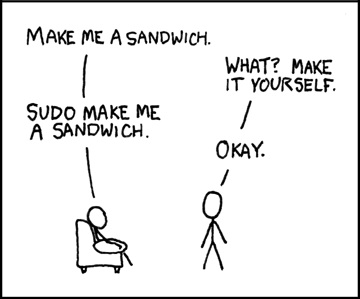
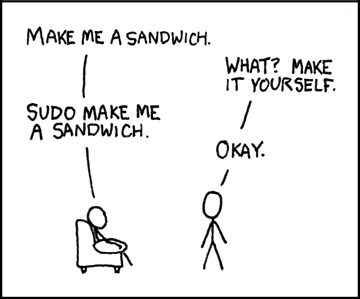
!wget https://imgs.xkcd.com/comics/sandwich.png--2024-01-03 14:08:48-- https://imgs.xkcd.com/comics/sandwich.png
Resolving imgs.xkcd.com (imgs.xkcd.com)... 146.75.48.67, 2a04:4e42:7c::67
Connecting to imgs.xkcd.com (imgs.xkcd.com)|146.75.48.67|:443... connected.
HTTP request sent, awaiting response... 200 OK
Length: 11828 (12K) [image/png]
Saving to: ‘sandwich.png’
sandwich.png 100%[===================>] 11.55K --.-KB/s in 0s
2024-01-03 14:08:48 (69.3 MB/s) - ‘sandwich.png’ saved [11828/11828]
- 방법2
- 방법3: 스크린샷
- 내용없음.
- ssh를 이용하여 접속
ssh {이후의 코드는 보안상 비밀임}- 내용없음.
- ref: https://guebin.github.io/MP2023/offline/231128.html
여기에서 2-E, 2-G 빼고 하기