09wk-1: with의 사용

Author

최규빈

Published

November 1, 2024

1. 강의영상

2. Imports

import numpy as np
import pandas as pd
import matplotlib.pyplot as plt
import time
#---#
import torch
import transformers
import tarfile
/home/cgb3/anaconda3/envs/hf/lib/python3.12/site-packages/tqdm/auto.py:21: TqdmWarning: IProgress not found. Please update jupyter and ipywidgets. See https://ipywidgets.readthedocs.io/en/stable/user_install.html
  from .autonotebook import tqdm as notebook_tqdm

3. with

A. 기본사용

- 아래와 같이 with를 사용한다. 여기에서 ???? 자리에 올 수 있는 오브젝트는 __enter____exit__을 포함하는 어떠한 오브젝트이다. (그리고 이러한 오브젝트를 “컨텍스트 매니저”라고 부른다)

with ????:
    블라블라~
    야디야디~

# 예제1 – 기본예제

- context manager 를 찍어내는 Dummy 클래스

class Dummy: 
    def __enter__(self):
        print("enter")
    def __exit__(self,*args): # *args는 에러처리 관련된 __exit__의 입력변수들 
        print("exit") 
d = Dummy()
d.__enter__()
print("context")
d.__exit__()
enter
context
exit
d = Dummy()
with d:
    print("context")
enter
context
exit

- with 뒤에 올 수 있는 오브젝트는 __enter____exit__ 을 포함해야한다.

lst = [1,2,3]
with lst:
    pass 
TypeError: 'list' object does not support the context manager protocol
with 33:
    pass 
TypeError: 'int' object does not support the context manager protocol

# 예제2 – 타이머

원래 사용패턴

t1 = time.time()
np.random.randn(100,100) + 30
t2 = time.time()
t2-t1
0.0005712509155273438
t1 = time.time()
np.random.randn(10000,10000) + 30
t2 = time.time()
t2-t1
1.5068929195404053
class Timer:
    def __enter__(self):
        self.t1 = time.time()
    def __exit__(self,*args):
        self.t2 = time.time()
        print(f"{self.t2 - self.t1:.4f} 초 걸림")
with Timer():
    np.random.randn(10000,10000) + 30
1.4989 초 걸림

#

# 예제3

class 미분꼬리표추적금지:
    def __enter__(self):
        torch.set_grad_enabled(False)
    def __exit__(self,*args):
        torch.set_grad_enabled(True)
a = torch.tensor(1.0,requires_grad = True)
a
tensor(1., requires_grad=True)
b = a+1 
c = 2*b 
d = c/3
b,c,d
(tensor(2., grad_fn=<AddBackward0>),
 tensor(4., grad_fn=<MulBackward0>),
 tensor(1.3333, grad_fn=<DivBackward0>))
with 미분꼬리표추적금지():
    b = a+1 
    c = 2*b 
    d = c/3
b,c,d
(tensor(2.), tensor(4.), tensor(1.3333))

#

# 예제4

아래의 코드를 모델을 활용하여 로짓을 계산하라.

model = transformers.AutoModelForSequenceClassification.from_pretrained(
    "distilbert/distilbert-base-uncased", num_labels=2
)
model_input = {
    'input_ids': torch.tensor([[101, 2023, 3185, 2003, 6659, 2021, 2009, 2038, 2070, 2204, 3896, 1012, 102]]),
    'attention_mask': torch.tensor([[1, 1, 1, 1, 1, 1, 1, 1, 1, 1, 1, 1, 1]]),
    'labels': torch.tensor([0])
}
Some weights of DistilBertForSequenceClassification were not initialized from the model checkpoint at distilbert/distilbert-base-uncased and are newly initialized: ['classifier.bias', 'classifier.weight', 'pre_classifier.bias', 'pre_classifier.weight']
You should probably TRAIN this model on a down-stream task to be able to use it for predictions and inference.
logits = model(**model_input).logits
logits
tensor([[0.0505, 0.1006]], grad_fn=<AddmmBackward0>)

(풀이)

with 미분꼬리표추적금지():
    logits = model(**model_input).logits
    print(logits)
tensor([[0.0505, 0.1006]])

(풀이2)

with torch.no_grad():
    logits = model(**model_input).logits
    print(logits)
tensor([[0.0505, 0.1006]])

ref: https://huggingface.co/docs/transformers/tasks/sequence_classification

#

B. 약간고급사용

# 예비학습

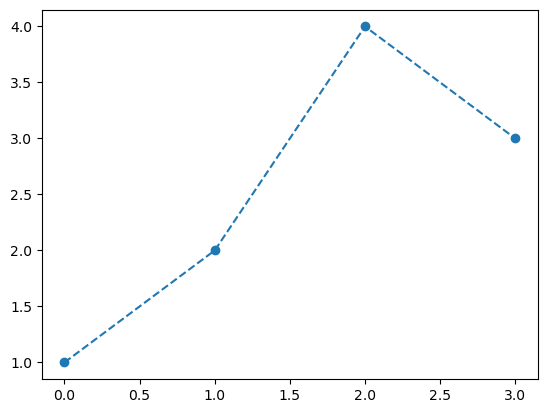
- 기본플랏

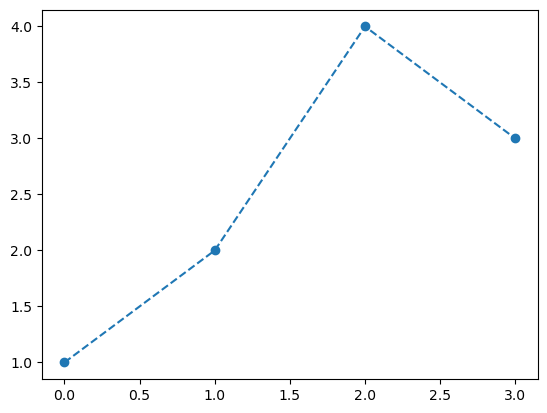
plt.plot([1,2,4,3],'--o')

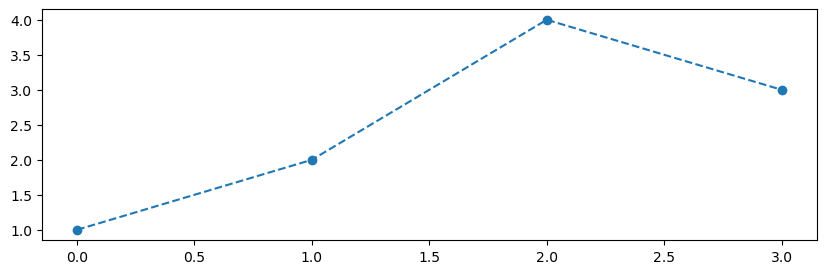
- 크기를 (10,3)으로 조정

plt.rcParams['figure.figsize'] = [10, 3] 
plt.plot([1,2,4,3],'--o')

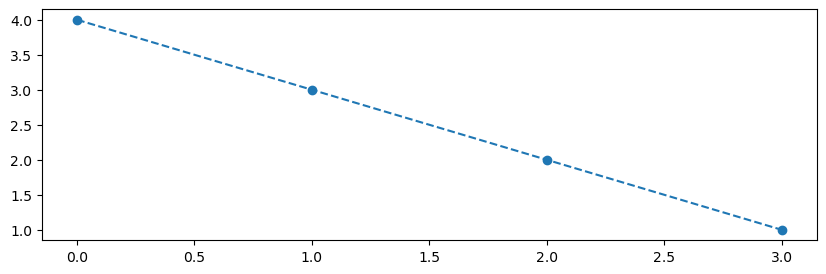
- 한번 뒤틀린 설정이 그대로 있음

plt.plot([4,3,2,1],'--o')

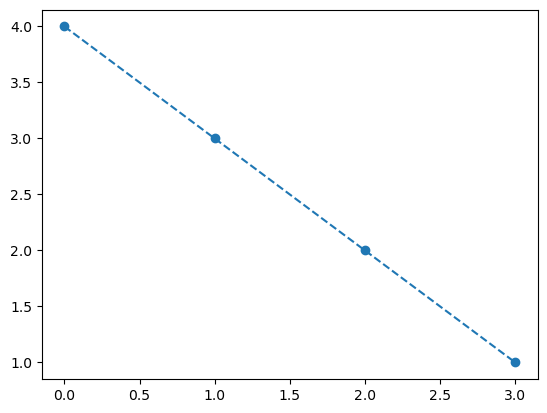
- 설정을 원래대로

plt.rcdefaults()
plt.plot([4,3,2,1],'--o')

#

# 예제4 – 크기조정

class FigureSizeContext:
    def __enter__(self):
        def resize(w,h):
            plt.rcParams['figure.figsize'] = [w, h] 
        return resize
    def __exit__(self,*args):
        plt.rcdefaults()

- 사용예시1

context_manager = FigureSizeContext()
xxxx = context_manager.__enter__()
xxxx(3,3)
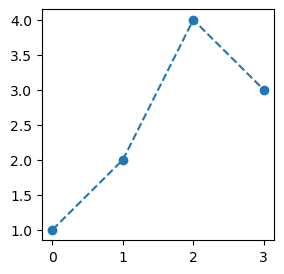
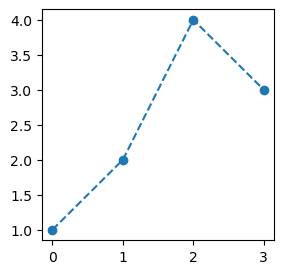
plt.plot([1,2,4,3],'--o')
context_manager.__exit__()

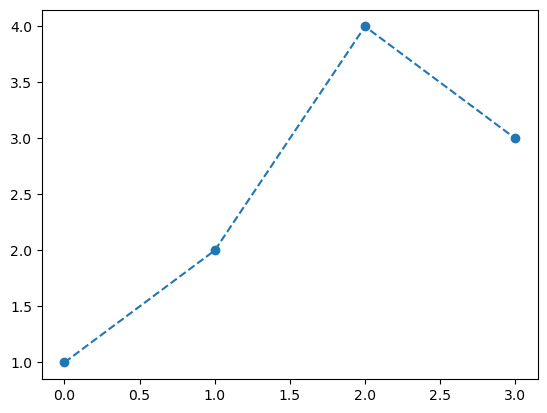
plt.plot([1,2,4,3],'--o')

- 사용예시2

with FigureSizeContext() as xxxx:
    xxxx(3,3)
    plt.plot([1,2,4,3],'--o')

plt.plot([1,2,4,3],'--o')

- 정리하면.. with는 아래와 같이 as와 함께 사용가능한데,

with context_manager as xxxx: 
    블라블라~
    야디야디~

여기에서 as뒤의 xxxx 자리는 context_manager.__enter__의 리턴값이 차지하게 된다.

#

# 예제5 – 샌드위치생성기

class 샌드위치생성기:
    def __init__(self,빵="기본빵"):
        self.빵 =
        self.재료들 = []
    def __enter__(self):
        print(f"---{self.빵}---")
        return self
    def __exit__(self,*args):
        print(f"---{self.빵}---")
    def 재료추가하기(self,재료):
        print(재료)
        self.재료들.append(재료)

- 사용예시1

with 샌드위치생성기(빵="허니오트") as 샌드위치:
    샌드위치.재료추가하기("양상추")
    샌드위치.재료추가하기("치즈")
    샌드위치.재료추가하기("베이컨")
    샌드위치.재료추가하기("오이")
---허니오트---
양상추
치즈
베이컨
오이
---허니오트---
샌드위치.빵, 샌드위치.재료들
('허니오트', ['양상추', '치즈', '베이컨', '오이'])

- 사용예시2

with 샌드위치생성기(빵="허니오트") as 샌드위치:
    샌드위치.재료추가하기("토마토")
    샌드위치.재료추가하기("치즈")
    샌드위치.재료추가하기("베이컨")
    샌드위치.재료추가하기("에그마요")
---허니오트---
토마토
치즈
베이컨
에그마요
---허니오트---
샌드위치.빵, 샌드위치.재료들
('허니오트', ['토마토', '치즈', '베이컨', '에그마요'])

- 아래의 두 코드가 같은 효과를 가진다.

with 샌드위치생성기(빵="허니오트") as 샌드위치:
    샌드위치.재료추가하기("토마토")
    샌드위치.재료추가하기("치즈")
    샌드위치.재료추가하기("베이컨")
    샌드위치.재료추가하기("에그마요")
샌드위치 = 샌드위치생성기(빵="허니오트")
샌드위치 = 샌드위치.__enter__()
샌드위치.재료추가하기("토마토")
샌드위치.재료추가하기("치즈")
샌드위치.재료추가하기("베이컨")
샌드위치.재료추가하기("에그마요")
샌드위치.__exit__()

- 따라서 __enter__self를 리턴하는 경우에는 with 샌드위치생성기(빵="허니오트") as 샌드위치 이 부분을 해석할때 “샌드위치생성기(빵="허니오트") 코드의 실행결과 만들어지는 오브젝트를 샌드위치로 저장”한다고 해석해도 무리가 없다.

#

# 예제6

- example.txt 를 만들고 “asdf” 라는 글자를 넣는 파이썬코드

with open("example.txt","w") as file: 
    # 대충해석: open("example.txt","w") 을 실행하여 나오는 오브젝트를 file로 받음 
    # 더 엄밀한 해석: 
    # open("example.txt","w") 을 실행하여 나오는 오브젝트를 ???라고 하자. 
    # 그런데 ??? 에는 `__enter__`가 있을텐데, 그 `__enter__`를 실행하여 나오는 오브젝트를 
    # file로 받음.
    file.write("asdf")    

- 분석하기: “대충해석”으로 해석해도 되는지 체크

file
<_io.TextIOWrapper name='example.txt' mode='w' encoding='UTF-8'>
context_manager = open("example.txt","w")
file = context_manager.__enter__()
type(context_manager), type(file)
(_io.TextIOWrapper, _io.TextIOWrapper)

- 분석하기2: __enter__self를 리턴하는지 보자

context_manager.__enter__??
# 코드를 볼 수 없음... -- 아쉬움..
Docstring: <no docstring>
Type:      builtin_function_or_method

#

# 예제7

- example.txt 파일을 example.tar.gz로 압축하는 코드

with tarfile.open("example.tar.gz","w:gz") as tar:
    tar.add("example.txt", arcname="example.txt")

- 분석하기

context_manager = tarfile.open("example.tar.gz","w:gz")
tar = context_manager.__enter__()
type(context_manager), type(tar)
(tarfile.TarFile, tarfile.TarFile)
  • context_manager.__enter__()self를 리턴하는듯함

- 분석하기2: __enter__self를 리턴하는지 보자

tar.__enter__??
Signature: tar.__enter__()
Docstring: <no docstring>
Source:   
    def __enter__(self):
        self._check()
        return self
File:      ~/anaconda3/envs/hf/lib/python3.12/tarfile.py
Type:      method

#